Why cheap gadgets beat expensive overhauls
Most people think "smart home" means a contractor, a wall of touchscreens, and a four-figure invoice. It doesn't. The devices that actually move your power bill are small, sell for less than a pizza night, and plug in without tools. The expensive stuff, motorized shades and whole-house hubs, looks impressive but rarely earns its price back in saved kilowatt-hours.
Here's the thing worth knowing before you buy anything. Your bill is driven by a few hungry loads: heating and cooling, water heating, and the long tail of devices that sip power around the clock even when you're not using them. Cheap smart gadgets target exactly those loads. The right budget smart home gadgets don't make your house futuristic. They just quietly stop you from paying for energy you're throwing away.
- Heating and cooling is usually the single biggest line on the bill, so a thermostat that runs itself pays off fastest.
- Always-on electronics drain power 24 hours a day. Smart plugs cut that off on a schedule.
- Lighting is cheap to fix and easy to forget, which is why bulbs that dim and turn themselves off add up over a year.
Start with the thermostat: the gadget that pays you back
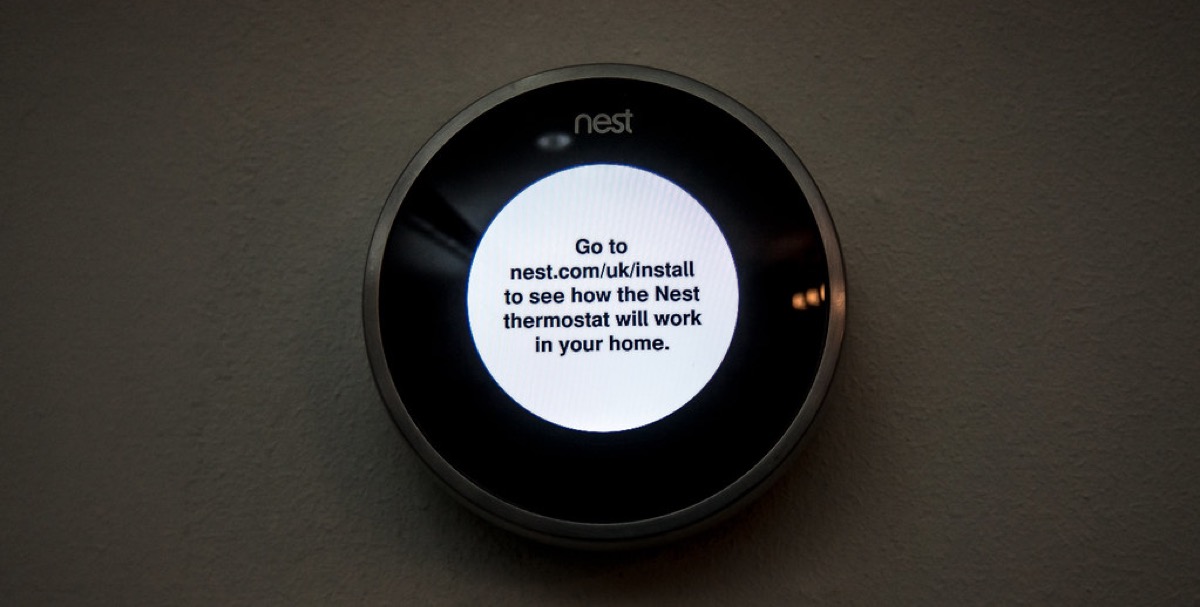
If you buy one thing, buy a smart thermostat. According to ENERGY STAR, a properly used model can save a typical household a meaningful chunk of its heating and cooling costs, and that's the largest slice of most bills. The savings come from a simple habit the device handles for you: not heating or cooling an empty house.
Budget models from Amazon, Wyze, and Honeywell now run well under $100, and many utilities hand out rebates that knock another $50 to $100 off. Check your power company's website before you buy. I've seen people pay $40 net for a thermostat that trims their bill every month for years.
Set it once and let it learn your schedule. A few degrees back while you sleep or while you're at work does more than any gadget you'll plug in later. The U.S. Department of Energy notes that turning your thermostat back 7 to 10 degrees for eight hours a day can cut yearly heating and cooling costs, and a smart model just makes that automatic instead of a thing you forget.
One feature actually worth using is geofencing. The thermostat watches your phone's location and eases off the heat or AC once everyone has left, then warms or cools the house back up before you walk in the door. You get a comfortable home and an empty-house setback at the same time, with zero effort on your part. If your model has it, turn it on the day you install the thing.
A few buying notes so you don't overpay. Skip the premium tiers with color touchscreens and voice assistants built in unless you genuinely want them, because they cost double and don't save an extra dollar. Make sure the model is compatible with your system before you order, especially if you have a heat pump or no C-wire, since a $5 wiring adapter is cheaper than a return shipment.
A $40 thermostat that runs itself beats a $400 hub that mostly looks good on the wall. Novalyfe Technology Desk
Smart plugs: the $10 fix for phantom power
Plenty of devices in your home pull electricity while doing nothing. A game console in standby, a coffee maker with a glowing clock, an old cable box, a phone charger left in the wall. This is called phantom load or standby power, and the Department of Energy estimates it can account for a real share of a typical household's electricity use.
A smart plug fixes it for about $10. You set a schedule, the plug cuts power overnight, and the device stops drawing anything until morning. No rewiring, no app obsession required. Put them on the worst offenders:
- Entertainment centers. TVs, consoles, and sound bars in standby quietly burn power all night.
- Office gear. Printers and monitors rarely need to be live at 2 a.m.
- Space heaters and window units. A smart plug guarantees they're off when you leave, which also kills a fire risk.
Buy a four-pack instead of singles. The per-plug price drops, and you'll find more uses for them than you expect.
One smart-plug trick people miss: pair it with energy monitoring. Some plugs cost a few dollars more and report exactly how many watts a device pulls. Plug one into the mystery appliance that you suspect is eating power, watch it for a week, and you'll know whether it deserves a permanent off-schedule or a trip to the curb. That old second fridge in the garage is usually the guilty party.
Smart bulbs, strips, and sensors that do the boring work
LED bulbs already use far less power than the old incandescents, and the Department of Energy points out that switching your most-used fixtures to efficient bulbs is one of the cheapest ways to lower a lighting bill. Smart LED bulbs go a step further by dimming and shutting off on their own. A $12 bulb that turns itself off when nobody's home pays for itself faster than you'd think.
Three more cheap pieces round out a budget setup:
- Smart power strips (around $25) cut standby power to a whole cluster of devices at once, so one strip covers a full desk or TV stand.
- Motion sensors (under $20) flip lights off in rooms people walk out of and forget, which is most of us.
- Smart bulbs (about $12 each) let you schedule porch and hallway lights instead of leaving them on all evening.
None of these need a hub if you buy Wi-Fi versions. They connect straight to your phone, and they keep saving power whether or not you ever open the app again.
A quick word on smart bulbs versus smart switches. A bulb only works when the wall switch stays on, so if someone flips it off the bulb goes dark and dumb. For a lamp that's fine. For a ceiling fixture a whole family uses, a $20 smart switch is the better buy because it controls the circuit no matter what anyone does at the wall. Spend the bulb money where lamps live and the switch money where switches get flipped.
Outdoor and seasonal loads deserve their own plug too. String lights, a porch lamp, a pond pump, or a stock-tank heater can run for hours longer than they need to. A weatherproof outdoor smart plug, usually around $15, puts those on a sunset-to-bedtime schedule so they're never burning power at 3 a.m. for no one.
How to spend $100 and actually see it on your bill
You don't have to buy all nine gadgets at once. Spread $100 across the loads that matter and you'll see a difference within a billing cycle or two. Here's a starter kit I'd actually buy:
- $50: one budget smart thermostat (less after a utility rebate).
- $30: a four-pack of smart plugs for the TV stand, office, and any space heaters.
- $20: a couple of smart bulbs or a motion sensor for the rooms you light most.
Track the result. Snap a photo of this month's bill, install the gear, and compare next month against the same month last year so the weather lines up. Most of these devices show a return inside a few months, and the thermostat keeps paying out for years.
One last money tip before you check out. Look up your utility's rebate page and any time-of-use rate it offers. Plenty of power companies give cash back on smart thermostats, and some charge less for electricity used overnight. If your plan does, point your smart plugs at the cheap hours so the dishwasher and the laundry run when power costs the least. The gadget does the timing; you just bank the difference.
That's the whole point of doing this on a budget. You set it up once, then stop thinking about it while it keeps a little more money in your pocket every single month. No app to babysit, no contractor to call back, just a quieter bill that you stopped overpaying without changing how you actually live.